Your year on Hinge · checked 24 November 2026
Hinge Wrapped 2026: how to see your year on Hinge
Hinge doesn’t make an official year in review. Your year is in your Hinge data, though: ask Hinge for it now, and Pavonia turns it into a full report and a Rewind of your year, right in your browser.
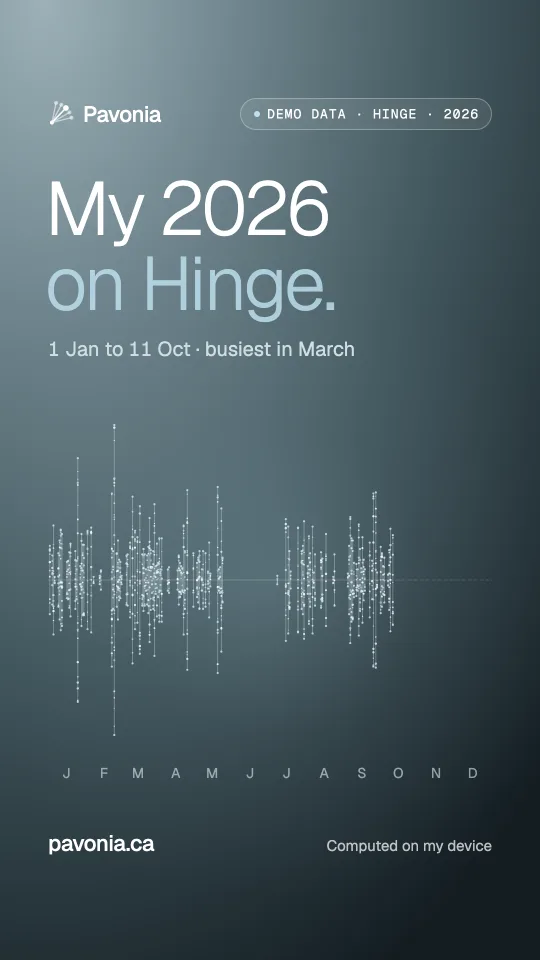
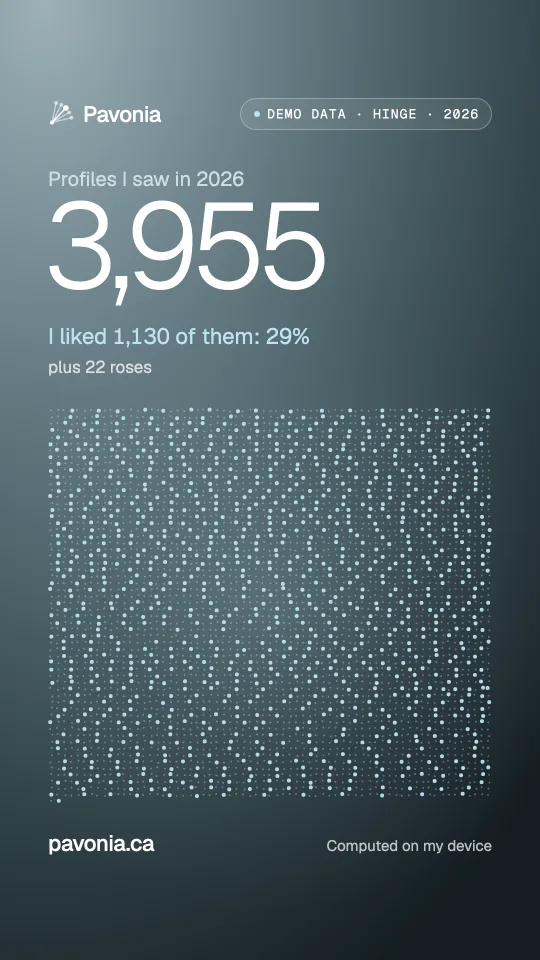
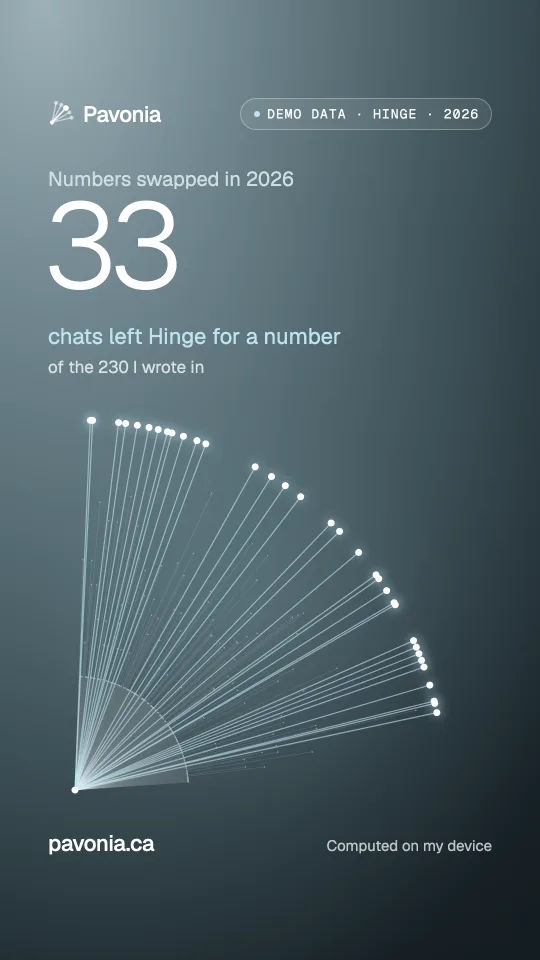
Request your export now
- In Hinge, open your profile using the photo icon, then tap Settings.
- Scroll to Download My Data, choose your country, confirm your email and submit.
- Keep the
.zipfile Hinge emails you intact — there is no need to unzip it.
People often report getting Hinge’s email in a day or two. Hinge says most exports are ready within 30 days. The link lasts 48 hours. If you want to make cards for New Year’s or Dating Sunday (3 January 2027), request the ZIP in advance.
Check the delivery window while you wait. If the link expired, see how to get a fresh Hinge download.
The Hinge CSV guide describes the tables used for a recap. Read what Pavonia keeps before opening your own file.
What you get from Pavonia
- A Rewind of your year: portrait story cards you can save and share in Instagram Stories, TikTok or group chats, showing your funnel, active days, record day, same-day chat fizzles and off-app numbers — with no names and no message text.
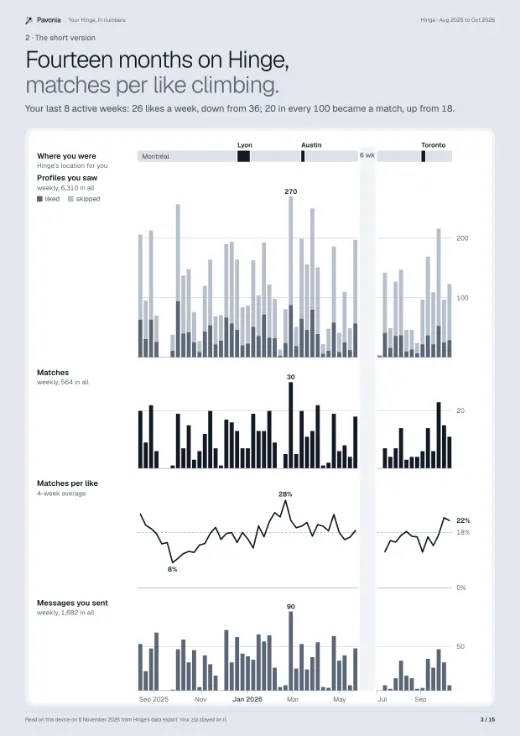
- Your full report: your likes, roses, selectivity, chats, number swaps, active hours in local time and places you swiped, chapter by chapter on screen or saved as a printable PDF.
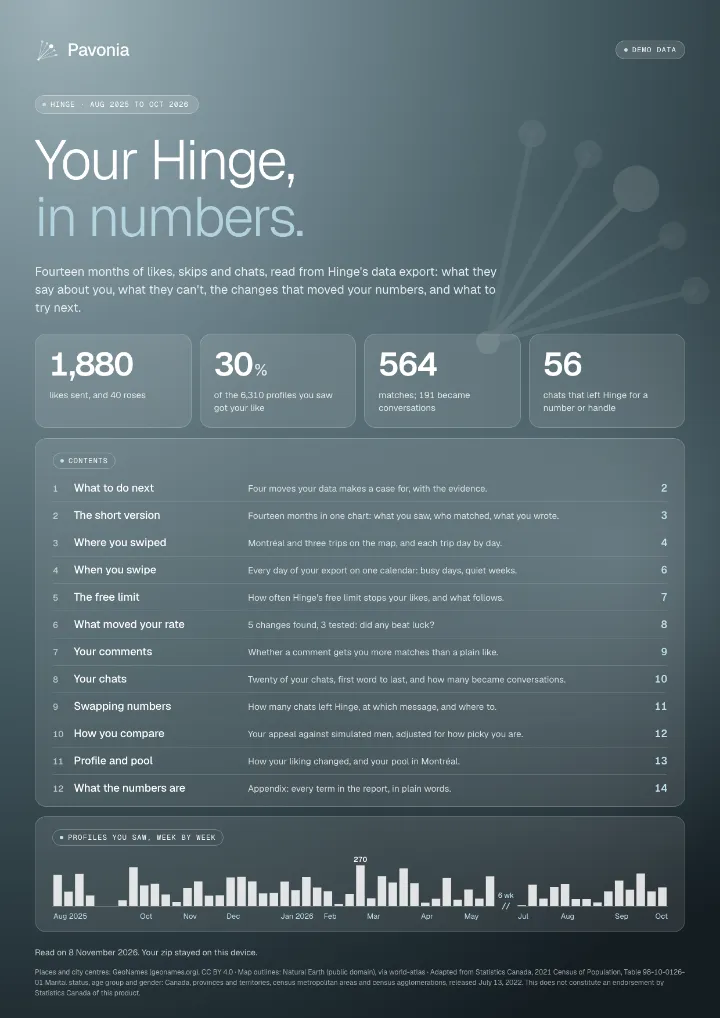
Both are made on your device, from your zip, and the zip stays there. Pavonia is free: in exchange, for exports from Canada and the US, it keeps a copy of your report, never your messages, photos or zip.
Works with Hinge’s 2026 CSV export
Many older year-in-review sites only look for matches.json and fail on a fresh 2026 download, because Hinge now sends folders of CSV tables instead. Pavonia reads both the older JSON archive and today’s CSV tables automatically.
Because today’s CSV tables list a match only once you write to it, Pavonia never invents a fake match rate from partial data: it reports conversations per like alongside clear ranges, plus the metrics CSV exports actually excel at, like skips, daily sessions, local hours and trips.
Common questions
- Does Hinge know I requested or opened my data? Requesting your data is a built-in privacy setting inside Hinge. Pavonia never logs into Hinge, never asks for your password and never notifies any of your matches.
- Does it work on an iPhone? Yes. Save Hinge’s zip into the Files app (Downloads), open Pavonia in Safari, pick the zip and swipe through your report and Rewind cards directly on your phone.
- Are my photos or chat messages uploaded? Photos, videos and your verification selfie are skipped while unzipping and never opened. Your message text is read only inside your browser to measure chat length and spot swapped phone numbers.